LinkedIn video specs: what the upload accepts
LinkedIn takes videos up to 5 GB and 15 minutes in a post, and is strict about almost nothing else. A normal phone recording will usually upload without any changes, which is why most people never look up the limits. The numbers below matter when an upload stalls, when a clip looks soft after processing, or when you are preparing a video for a company Page or an ad, where the rules differ from a personal post. Every row names the LinkedIn help page it came from and the day we last read it, so you can check it yourself.
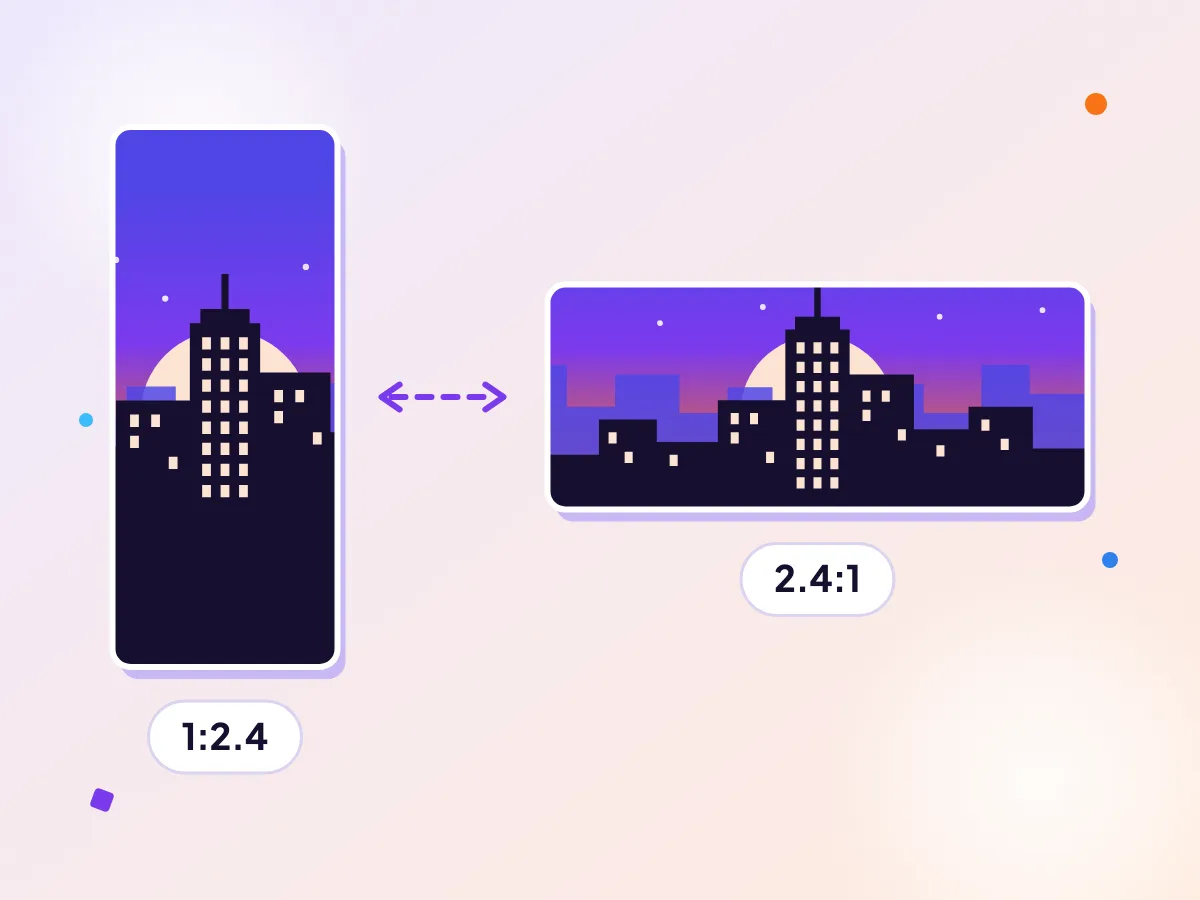
Keep LinkedIn video within range
LinkedIn Pages take aspect ratios from 1:2.4 to 2.4:1, and posts allow files up to 5 GB. The shortest video is 3 seconds from a computer. Resize a video to any shape or make a square version for the feed.
Videos shared in a post
| Largest file | 5 GBSource, checked Oct 2026 |
|---|---|
| Longest video | 15 minutesSource, checked Oct 2026 |
| Shortest video | 3 seconds from desktop, 2 seconds from the mobile appSource, checked Oct 2026 |
| Resolution range | 256x144 up to 4096x2304Source, checked Oct 2026 |
| File types | MP4, MOV, AVI, WEBM, MKV, WMV, MPEG and a few othersSource, checked Oct 2026 |
Company Pages and Career Pages
| File size | 75 KB to 5 GBSource, checked Oct 2026 |
|---|---|
| Length | 3 seconds to 10 minutesSource, checked Oct 2026 |
| Aspect ratio | 1:2.4 to 2.4:1Source, checked Oct 2026 |
| Frame rate | 10 to 60 fpsSource, checked Oct 2026 |
| Bit rate | 192 Kbps to 30 MbpsSource, checked Oct 2026 |
| MOV and AVI files | Not supported on PagesLinkedIn says it no longer supports AVI, QuickTime or MOV for these uploads.Source, checked Oct 2026 |
Video ads
| Ad file size | 75 KB to 500 MBSource, checked Oct 2026 |
|---|---|
| Ad length | 3 seconds to 30 minutesSource, checked Oct 2026 |
| Ad format | MP4Source, checked Oct 2026 |
Make one now
Which limit applies to you
The first table covers ordinary posts from a personal profile. If you publish on behalf of a company, read the second table instead: the length cap drops from 15 to 10 minutes and MOV files are refused, which catches people who record on an iPhone and upload straight from the camera roll.
Ads are a separate system. The file ceiling is far smaller than for posts, so a clip that works as an organic post can be rejected the moment you attach it to a campaign.
Pick a shape for the feed
LinkedIn accepts anything from very tall to very wide, but the feed is read mostly on a phone held upright. A square or a 4:5 portrait takes up more of the screen than a wide clip and tends to hold attention longer.
If your footage is widescreen, you can keep it as it is or reframe it. Reframing in your browser keeps the file on your device, and you choose whether to crop in or add bars.
When a video is close to the limit
A file close to the 5 GB ceiling is usually a long recording of a talk or a webinar. Big files take longer to upload and are more likely to stall on a weak or busy connection, so it pays to make them lighter first. Trimming the start and end, or shrinking the frame to 1080p, cuts the file down and gets it online sooner.
ProRes files may upload but then fail to process, so export to a standard MP4 first.
Questions
What is the LinkedIn video upload limit?
For a regular post the file can be up to 5 GB and up to 15 minutes long. Company Pages are capped at 10 minutes, and video ads have a much smaller file ceiling.
Why will LinkedIn not accept my MOV file?
MOV, AVI and QuickTime files are listed as unsupported for Pages. Convert the clip to MP4 and try again.
What is the best aspect ratio for LinkedIn video?
LinkedIn allows ratios from 1:2.4 to 2.4:1. Square and vertical clips use more of a phone screen, so many people choose those.
Can I trust these numbers?
Each row links to the LinkedIn help page and shows the date we read it. Platforms change limits without notice, so a quick look at the source is worth it before a launch.
More platform specs
Facebook video specs
Facebook feed videos can be up to 4 GB and 241 minutes, in any shape from 16:9 landscape to 9:16 portrait. But Facebook is not one video surface, and each has its own shape and running time: Stories want a tall frame, and in-stream is its own short format. Meta publishes these numbers mainly for advertisers, so the tables below come from its ad pages. Ordinary posts from a profile or Page generally follow the same shapes, but we only list what Meta states in writing, and each row links to the page we read.
Instagram video specs
Reels can run up to 20 minutes, as one clip or several, in any shape from 1.91:1 to 9:16, at 30 FPS or more and at least 720 pixels wide. Instagram spreads its rules across Reels, feed posts and Stories, and its help pages do not always agree, so this page gathers the numbers that Instagram and Meta state in writing, grouped by format, with the page and date next to every row. Rows that come from photo guidance or from advertising specs say so in their label, because they do not automatically apply to a normal Reel. Where we could not find an official figure, such as an organic Stories length, we left it out.
YouTube video specs
YouTube accepts files up to 256 GB or 12 hours, whichever is less, and accounts that are not verified can post up to 15 minutes. Unlike most social apps, it also publishes a detailed encoding recipe, and it re-encodes everything you send anyway. So the useful question is not what will be accepted, since almost anything is, but what to send so the re-encode starts from a clean, sharp source. This page collects the limits and the recommended settings from YouTube Help, each with its own link and check date. For vertical clips under three minutes, see the YouTube Shorts page instead.