Instagram video size and specs
Reels can run up to 20 minutes, as one clip or several, in any shape from 1.91:1 to 9:16, at 30 FPS or more and at least 720 pixels wide. Instagram spreads its rules across Reels, feed posts and Stories, and its help pages do not always agree, so this page gathers the numbers that Instagram and Meta state in writing, grouped by format, with the page and date next to every row. Rows that come from photo guidance or from advertising specs say so in their label, because they do not automatically apply to a normal Reel. Where we could not find an official figure, such as an organic Stories length, we left it out.
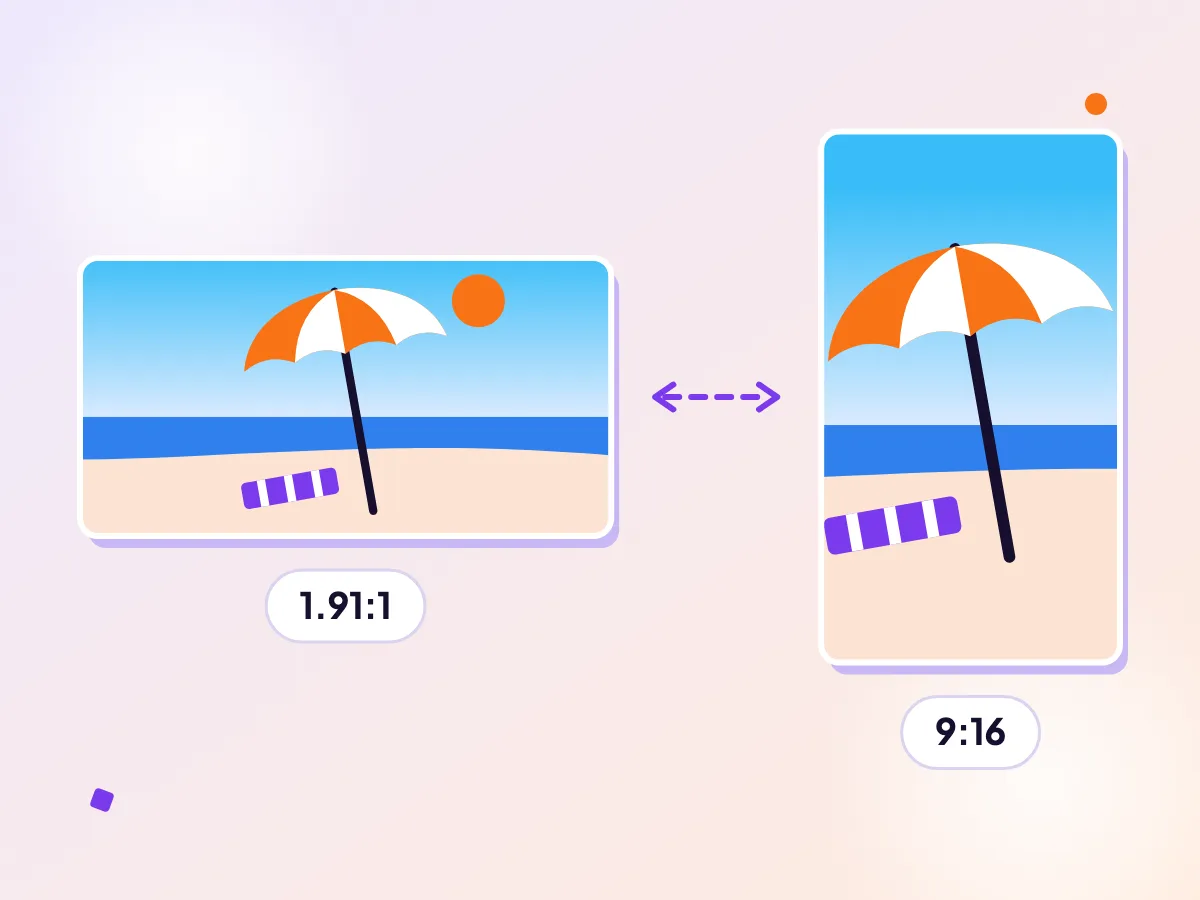
Reels and posts are not the same shape
Instagram accepts aspect ratios from 1.91:1 to 9:16, and a Reel can run up to 20 minutes. Pick the shape that suits the spot you are posting to. Resize for Reels or make a post in your browser.
Reels
| Aspect ratio | Anything from 1.91:1 to 9:16Full-screen vertical 9:16 fills the whole phone.Source, checked Oct 2026 |
|---|---|
| Minimum frame rate | 30 FPSSource, checked Oct 2026 |
| Minimum resolution | 720 pixelsSource, checked Oct 2026 |
| Maximum length | 20 minutes, as one clip or severalReels longer than 3 minutes are not recommended to new audiences.Source, checked Oct 2026 |
Feed photos (photo guidance)
| Photo width (photo guidance) | Up to 1080 pixels; narrower photos under 320 pixels are enlarged to 320Source, checked Oct 2026 |
|---|
Feed video ads (ads, not organic posts)
| File types (ads) | MP4, MOV or GIFSource, checked Oct 2026 |
|---|---|
| Aspect ratio and resolution (ads) | 9:16 at 1080 x 1920 pixelsSource, checked Oct 2026 |
| Length (ads) | 1 second to 60 minutesSource, checked Oct 2026 |
| Maximum file size (ads) | 4 GBSource, checked Oct 2026 |
Make one now
Reels: vertical wins, but the range is wide
A Reel can be anything between 1.91:1 landscape and 9:16 vertical, so an old landscape clip is allowed. It will just look small. For a Reel meant to be discovered, shoot or reframe to full-screen vertical so the picture fills the phone.
The minimum frame rate is 30 FPS, so record at 30 or higher when a clip is meant for Reels. Converting 24 or 25 FPS footage to 30 only repeats frames rather than adding smoothness, and ClipSizer never raises the frame rate. Instagram also lets you choose to always upload at the highest quality, which can make uploads slower.
Length: the cap is not the target
Instagram lets you record up to 20 minutes for a Reel, but its own help page notes that Reels over 3 minutes will not be recommended to new people. If reach matters, aim under three minutes and treat the long limit as room for the occasional longer story.
Older help pages still mention 90 seconds for Reels and 60 seconds for feed video. They are out of date next to the current Record a Reel page, so ignore those older figures.
Square and 4:5 for the feed
Photo guidance says Instagram keeps photos at the best quality up to 1080 pixels wide. The page versions we saw disagree on the tallest allowed shape, with one giving 4:5 and another 3:4, so we show no ratio row. A 1080 by 1080 square or 1080 by 1350 portrait is a safe middle ground either way.
You can make a square version of any clip in your browser with ClipSizer. Your video stays on your device, so nothing is uploaded until you post it yourself.
Questions
What is the Instagram Reels length limit?
You can record and edit up to 20 minutes, as one clip or several joined together. Reels over 3 minutes will not be recommended to new audiences.
What aspect ratio do Instagram Reels use?
Instagram accepts anything from 1.91:1 up to 9:16. Full-screen vertical 9:16 is the shape that fills a phone screen.
Is there an Instagram video file size limit?
Instagram Help does not give a file size for organic posts on the pages we read. Feed video ads allow up to 4 GB, but that is an advertising spec, not a rule for ordinary posts.
What frame rate should I use for Reels?
Instagram says Reels should be at least 30 FPS, and at least 720 pixels in resolution.
More platform specs
Facebook video specs
Facebook feed videos can be up to 4 GB and 241 minutes, in any shape from 16:9 landscape to 9:16 portrait. But Facebook is not one video surface, and each has its own shape and running time: Stories want a tall frame, and in-stream is its own short format. Meta publishes these numbers mainly for advertisers, so the tables below come from its ad pages. Ordinary posts from a profile or Page generally follow the same shapes, but we only list what Meta states in writing, and each row links to the page we read.
TikTok video specs
TikTok accepts MP4, WebM and MOV videos up to 4 GB, from 360 to 4096 pixels on each side, at 23 to 60 FPS. Every creator can post 3 minutes, and some accounts get 5 or 10. The table lists the limits TikTok documents itself, with the exact page each number came from and the date we last looked. If a number you expect is missing, that is deliberate. We only print values TikTok states in its own documentation, and the pages we could read do not give a fixed rule for things like the ideal aspect ratio.
YouTube Shorts video specs
A Short can be up to 3 minutes long and must be square or vertical. It is not a separate upload type: YouTube decides after the fact, looking at the shape and length of the file you sent. That makes the rules short but unforgiving: get the shape or the length wrong and your clip is filed as an ordinary video instead. The rows below are the numbers YouTube Help states, with the page we read and the day we checked. Anything YouTube does not write down, such as exact safe-zone margins, is left out rather than guessed.